
View email campaign analytics
Compare campaign sends, unique opens, and unique clicks, and understand empty reports.
Use Marketing > Analytics to compare engagement across your email campaigns. You need access to email marketing for the site.
Find a campaign
- Open your site's dashboard and select Marketing > Analytics.
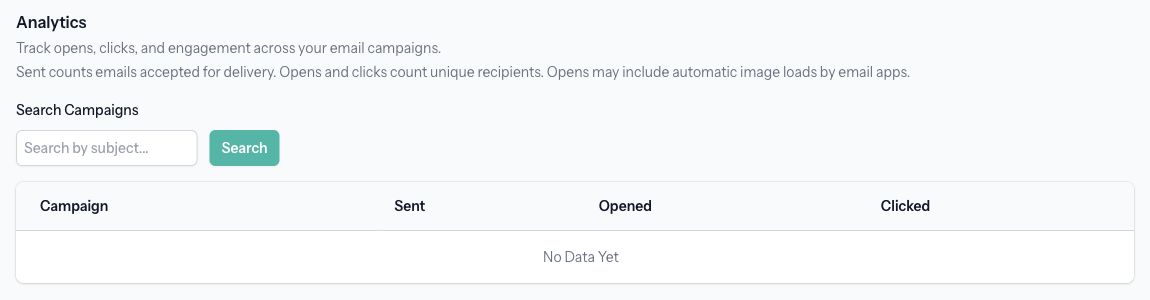
- Review the campaign table.
- To find a particular subject, enter it in Search Campaigns and select Search.
- Select Clear Search to return to all results. Use the pagination controls for additional campaigns.
Read the counts
- Sent counts emails accepted for delivery. An accepted email may still bounce later, so this is not an inbox-delivery guarantee.
- Opened counts recipients with a recorded open for that campaign. A recipient is counted once, even if they open several times.
- Clicked counts recipients with a recorded link click for that campaign. A recipient is counted once, even if they click several links.
Email apps can load images automatically, so opens may include activity that was not a person reading the message. Use opens and clicks together when comparing engagement.
Check sending progress
Select a campaign's subject to open its details. Check Status, the saved Email Preview, any failure message, and the Recipients, Sent, Pending, and Failed summary when available.
The summary tracks delivery states, while Analytics tracks accepted sends and engagement. Later bounces or complaints can change delivery-state totals. For sending problems, see Check campaign status and troubleshoot sending.
Understand an empty report
No Data Yet means there are no campaigns with delivery records to show. Drafts have no sends, and an automatic campaign can remain Active without records until a new subscriber joins.
No Matching Campaigns means the search did not match a campaign with delivery records. Select Clear Search and check the campaign directly under Marketing > Campaigns if needed.
To inspect one person's history instead, open their list under Marketing > Lists, then select their email address. See Manage subscribers and view their email history.