
Add a Text Document at a Website URL
Serve text, JSON, or XML documents such as ads.txt at a chosen website path.
Text Documents let you serve a small text, JSON, or XML file at a specific URL on your website. This is useful for files such as ads.txt or .well-known/security.txt supplied by a service you use.
Create a document
- Open Site → Settings in your dashboard.
- Choose Text Documents in the section navigation.
- Click Add Document.
- Enter the Route, such as
.well-known/security.txt. Enter the path only, rather than your full website address. - Paste the required text into Content and click Save.
- Republish your website when prompted, then open the document's public link to verify its contents.
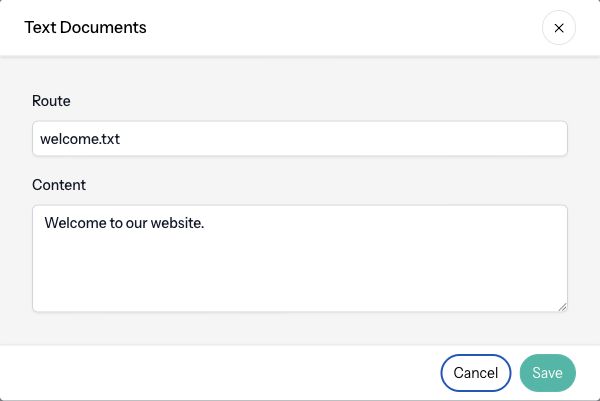
For example, the route ads.txt on example.com is available at https://example.com/ads.txt after publishing. Use the exact content required by the service you are configuring.
Edit or delete a document
Open the document's action menu and choose Edit. Update its route or content, save, and republish. Changing the route also changes the public URL, so update any service that expects the old location.
Choose Delete to remove a document and confirm the deletion. Republish and check the old URL afterward.
Limits and reserved paths
Text Documents require an eligible plan. A site can have up to 25 documents. Keep each document small; the editor validates its content size and limits its route to 255 characters.
Routes must be unique and cannot use an existing page's path. Letters, numbers, dots, underscores, hyphens, and slashes are accepted. The root path and paths containing .. are not allowed.
Articulation reserves robots.txt, sitemap.xml, and .well-known/acme-challenge/ for its own features. A custom llms.txt is allowed.
Files ending in .json or .xml use the corresponding format; other documents are served as plain text. This feature does not serve executable HTML or JavaScript pages.