
Sell Paid Memberships
Connect a membership product to a member group and choose recurring or fixed-duration access.
A membership product sells access to a member group. You first decide what that group may access, then connect the group to the product customers purchase.
Prepare your member group
Set up your site's membership area and create the group in Members. Configure the pages or content that group can access. A group assigned to a product does not automatically make every page private.
Your site plan must include membership products. Recurring memberships also require a Stripe payment connection.
Create the membership product
- Open Commerce → Products and choose Create Product.
- Set Type to Membership and describe the access included.
- In Pricing, enter the price and select the Membership Group buyers should join. A group is required to save a membership product.
- Choose recurring or one-time access as described below.
- Add an image, check availability and visibility, and choose Save.
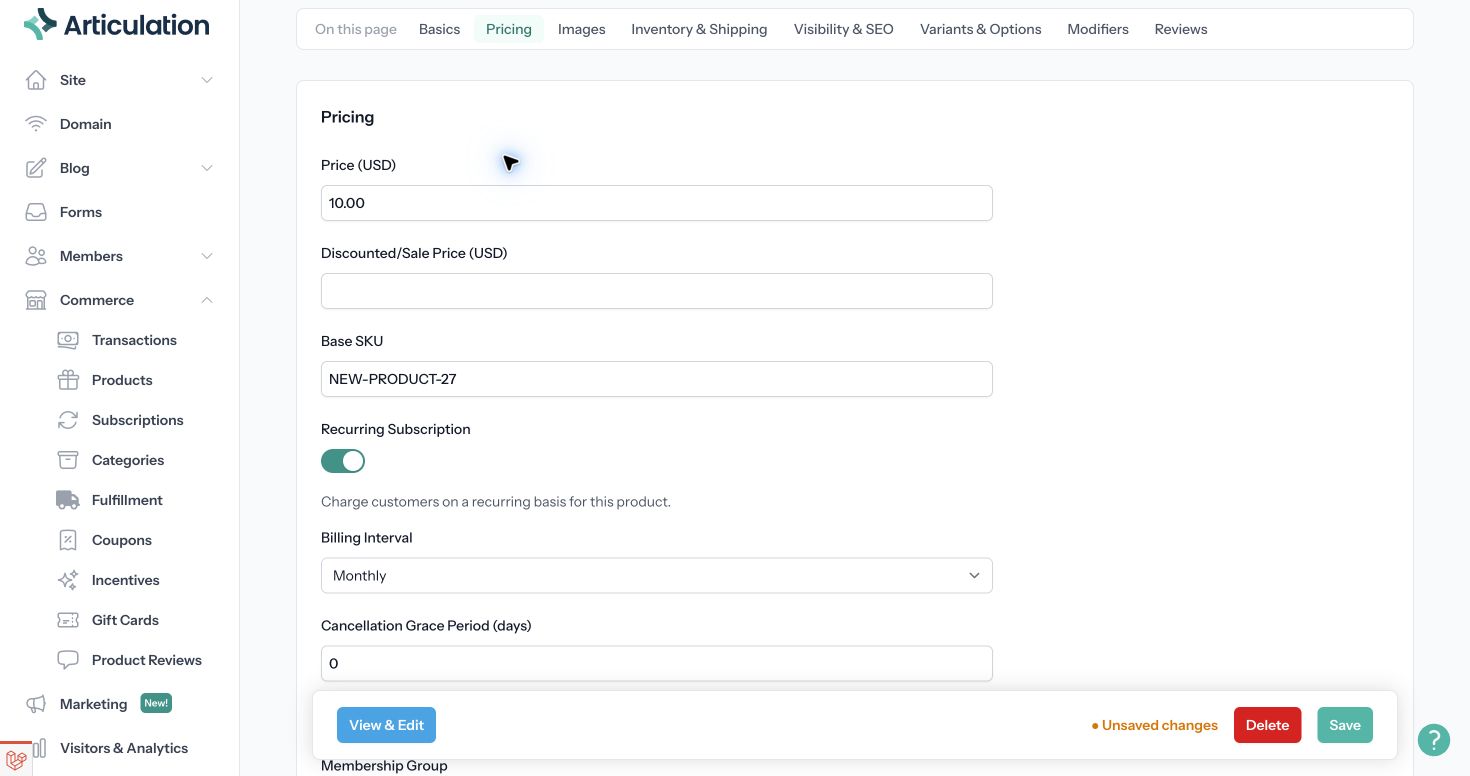
Choose how access is paid for
For a subscription, leave Recurring Subscription on and choose a weekly, monthly, or yearly Billing Interval. Set Cancellation Grace Period (days) to the time a member may retain access after cancellation or payment failure. A value of 0 means immediate removal when that access change is processed.
For a one-time membership, turn Recurring Subscription off. Use Access Duration (days) for time-limited access, or leave the duration empty for permanent access.
Describe the price, billing schedule, access duration, and cancellation terms on the product page so buyers know what they are purchasing.
Check the complete experience
Use View & Edit to review the offer. Check the protected content as a signed-out visitor and as a member of the intended group. Confirm that the product points to the same group used by your access rules.
After a membership purchase, review the customer in Members and the related order in Commerce → Transactions. Recurring memberships also appear in Commerce → Subscriptions.
If a customer paid but cannot view the intended content, check the product's assigned group and the content's access restrictions before changing the customer's payment. If the membership has ended, check its duration or cancellation grace period.
Related: Set up membership with your site.