
Sell and Manage Gift Cards
Offer gift cards, issue cards manually, and manage balances, recipient emails, and expiration.
Gift cards let a customer buy store credit for someone else. The gift-card product controls what shoppers can purchase; Commerce → Gift Cards manages the individual cards that have been issued.
Offer gift cards in your store
- Open Commerce → Products and create a product.
- Choose Gift Card under Type. Give it a name and describe how customers can use it.
- In Pricing, choose Add Amount to add preset values, such as 25, 50, and 100 in your store's currency.
- Enable Allow Custom Amounts if buyers may choose a different value.
- Review Modifiers for the recipient information you want to collect. The Recipient Settings note in Pricing points you to these controls. Check recipient name, recipient email, and gift message fields before offering the card for sale.
- Add an image, make the product available and visible, and choose Save.
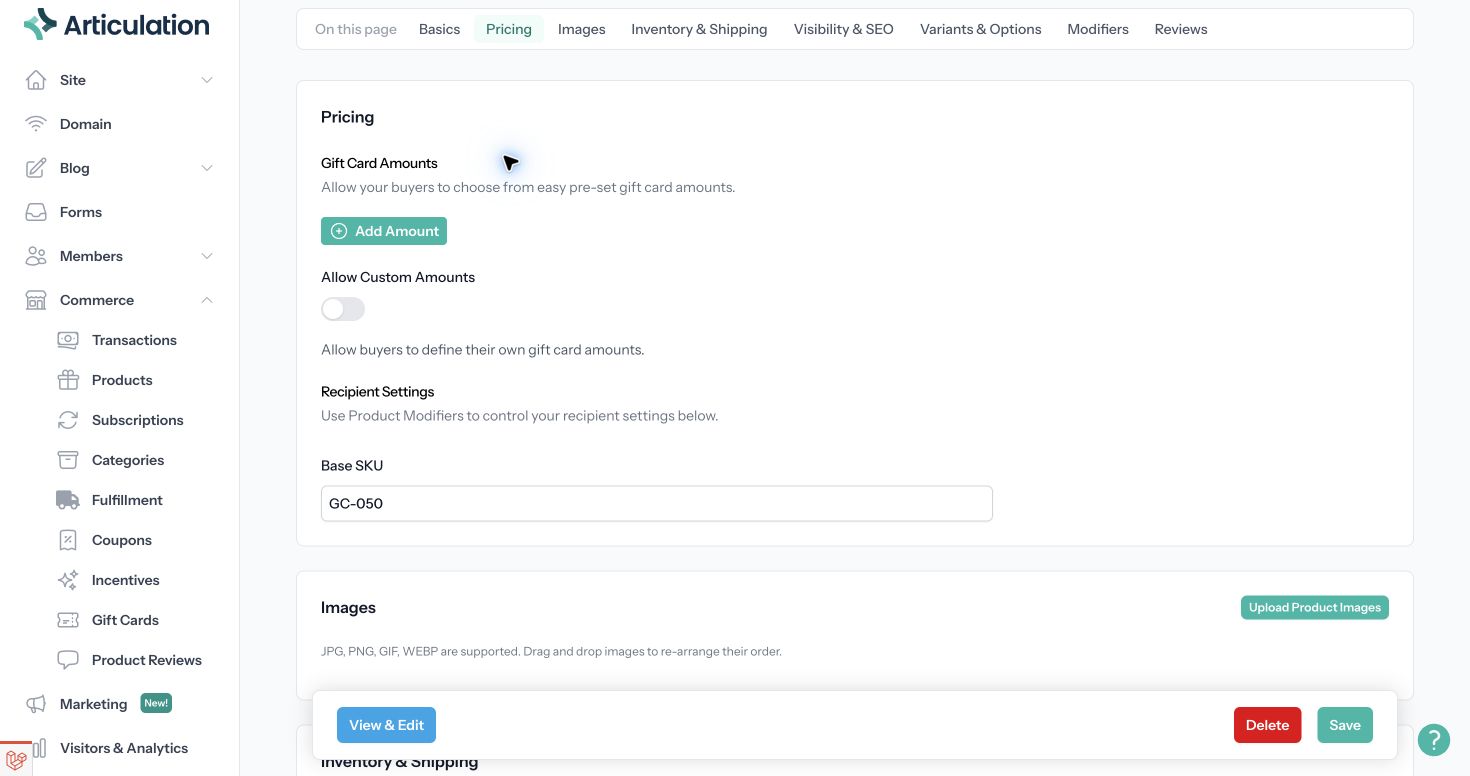
Add the denominations you want to sell before making the product available.
Use View & Edit to check the buyer's experience. Gift cards are not recurring subscription products.
Issue a card yourself
Open Commerce → Gift Cards and choose Issue Gift Card. Enter the amount, recipient details, and a reason for issuing the credit. Add an expiration in days if appropriate, or leave it blank for no expiration. Review the recipient email before submitting: issuing a card can send that person an email.
Manage an existing card
Open the card from the gift-card list to review its balance, recipient, expiration, and activity history. Filters help you find unused cards or cards nearing expiration.
- Adjust Balance adds or removes credit. Enter a reason so the history explains the change. You cannot remove more than the available balance.
- Resend Email sends the card information again. Check the recipient first.
- Void Gift Card disables the remaining credit after confirmation. Voiding a card is not a refund of the payment that purchased it.
- Export Gift Cards downloads the card list for your records. Treat exported codes and PINs as sensitive store-credit information.
When helping a customer, use the card's activity history and related purchase to distinguish an unused card from one that has already been redeemed.