
Accept Donations
Create a donation product with preset or custom amounts and optional recurring contributions.
A donation product lets supporters choose an amount to contribute. You can offer preset amounts, allow custom amounts, and use recurring billing when supported by your plan and Stripe connection.
Create your donation product
- Go to Commerce → Products and choose Create Product.
- In Basics, choose Donation under Type.
- Give the product a descriptive name and explain what the contribution supports.
- Open Pricing. Under Donation Amounts, choose Add Amount for each suggested contribution.
- Turn on Allow Custom Amounts if supporters may enter their own amount. Provide at least one usable way to choose an amount before offering the product.
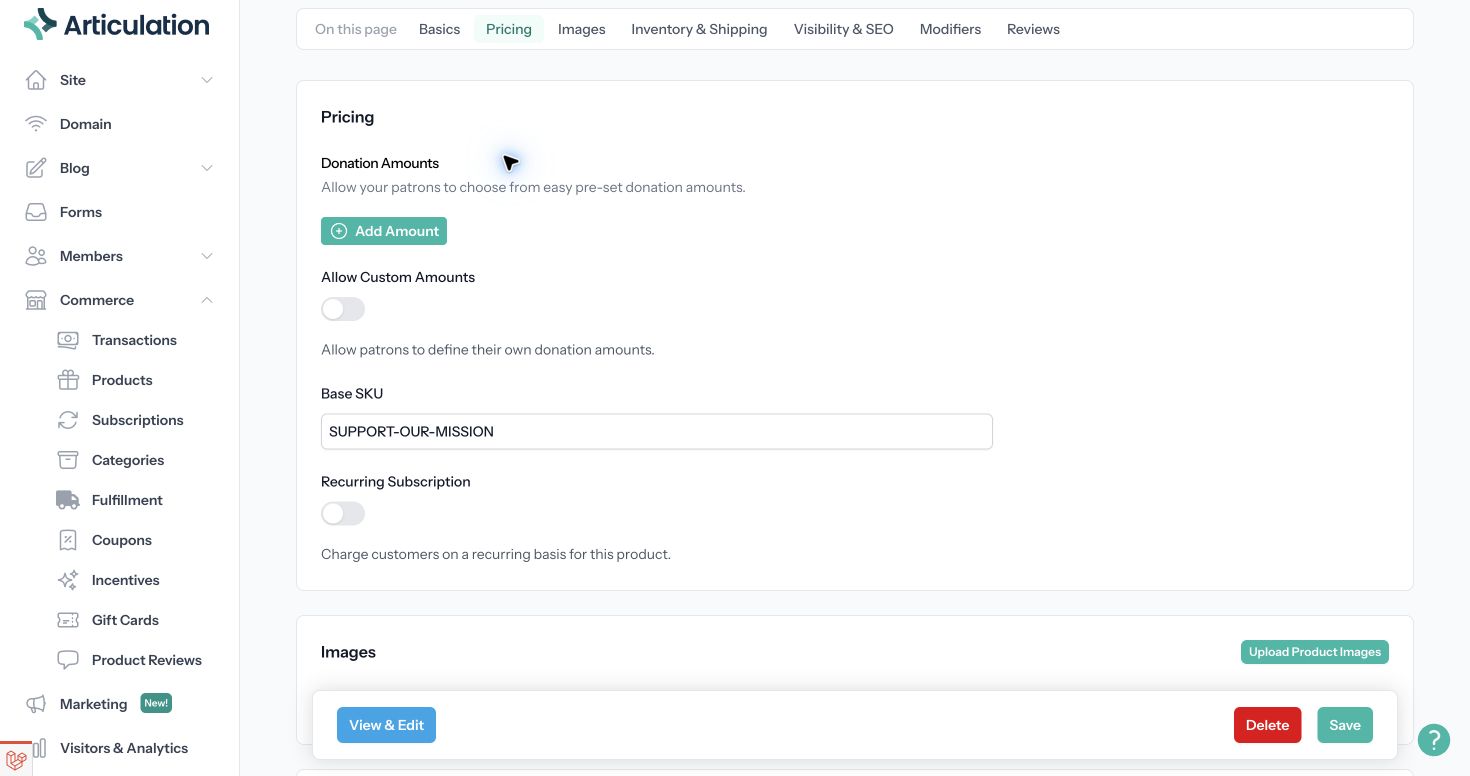
Offer repeat contributions
To charge on a schedule, connect Stripe, turn on Recurring Subscription, and choose the Billing Interval. Make the recurring schedule clear in the product description. Leave recurrence off for one-time contributions.
If you want to offer different recurring schedules, give each offer a clear product name and description so supporters can distinguish them.
Make the donation available
Add an image if useful, then review Visibility & SEO. Turn on Product Available to accept contributions and Product Visible to show the product in lists and categories. Choose Save.
Use View & Edit to review the donation page. Link to that page from your site's navigation, a button, or a relevant category. Check that the displayed amount choices match your offer and that any recurring interval is clear.
Review contributions
Completed payments appear in Commerce → Transactions. Recurring contributions also appear in Commerce → Subscriptions, where you can search by the supporter's email address and manage cancellation.
If visitors cannot contribute, check the payment connection, product availability, and amount settings. If you restrict non-shipped purchases to particular countries in Commerce settings, check those restrictions too.
Related: Set up your online store.